
AI Radar · Trend Readout #2 | Problem domain: agent plugin supply chainData window: 2026-W35 – W36 | First-hand evidence: complete snapshots of two public directories2026-09-05
I was browsing a plugin directory and found one that looked like exactly what I needed.
Installing it is one line. Copy, paste, Enter. Three seconds.
Just before pressing Enter, a question surfaced: who wrote this?
I have no idea. The directory gives me a name and one sentence. I have not read its source, and I never will — nobody reads a few thousand lines of code before installing a plugin, the same way nobody inspects the internal wiring before buying a power outlet.
And once installed, it runs on my machine, with my permissions, seeing my files.
So the real question is not "is this plugin any good." It is:
Before I press Enter, did anyone check it for me?
What a plugin directory actually is
In the last readout I used this comparison: if MCP (Model Context Protocol) is the USB standard of the AI world, then a plugin marketplace is the hardware store.
The standard answers "will it fit in the socket." The store answers something else: which one should I buy, and who is selling it to me.
Anthropic runs two of them:
- `claude-plugins-official` — curated, submitted by vendors for review
- `claude-plugins-community` — open, anyone can submit
Both live on GitHub, fully public. Which means anyone can re-derive every number below without taking my word for it. I will come back to why that matters.
What I counted
Figures are taken from specific commits of the two repos — think of a commit as a complete, frozen snapshot at one moment. Anyone pulling the same snapshot gets the same result.
Official directory (`anthropics/claude-plugins-official` @ `85cce03`, 2026-09-04)
Plugins | 291 |
Named authors | 129 distinct |
Largest categories | development 120, productivity 52, database 38, monitoring 20, security 18 |
Who is submitting? Anthropic itself 38, Google 14, SAP 9, AWS 7, with the rest scattered across Oracle, Atlassian, Shopify, Grafana, Carta and similar names.
This is not a hobbyist bazaar. This is vendors racing to get themselves into the agent's default toolbox.
Community directory (`anthropics/claude-plugins-community` @ `a727be1`, 2026-08-24)
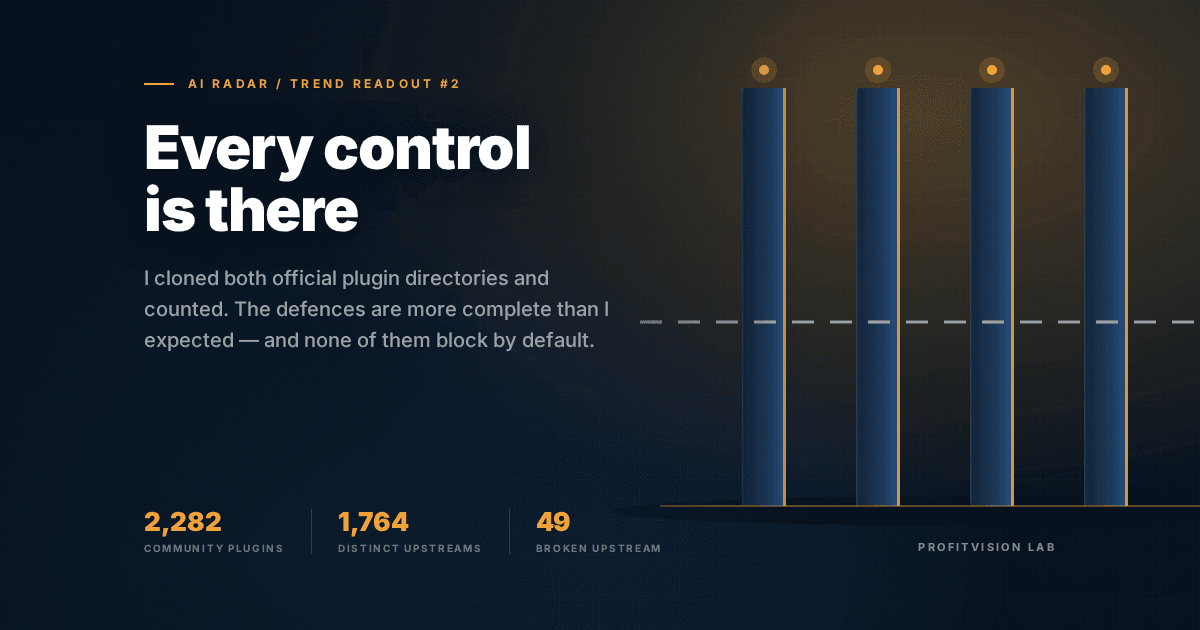
Plugins | 2,282 |
Distinct upstream GitHub accounts | 1,764 |
Pinned to a specific version | 2,274 / 2,277 |
1,764 distinct upstream accounts means roughly seventeen hundred separate groups of people are each building something here. Not a few vendors padding the count — an actual ecosystem.
Up to this point the shape of the data looks a lot like the last readout: explosive growth, scattered origins. That piece concluded "no directory is verifying any of it," and I was ready to write the same sentence again.
Then I opened the `.github/` folder
This was my biggest surprise of the week. The defences here are far more complete than I expected.
Four mechanisms, all readable in source. For each one I will name the specific attack it stops.
1. Version pinning — stops the swap-after-the-fact
Every entry records not "fetch project X from GitHub" but "fetch commit abc123 of project X." 2,274 of 2,277 entries are written that way.
The attack it stops: ship a clean version, wait three months until thousands have installed it and the reviews are good, then quietly replace the contents with something malicious. Everyone who installed it gets hit on the next update.
With the version pinned, upstream changes never reach you. What you install today is what the directory reviewed.
Think of it as both parties keeping a certified copy at signing. Whatever the otherside later scribbles on their copy has nothing to do with the one in your hand.
2. Identity pinning — stops account takeover
I did not see this one coming, and it is the most elegant of the four.
The file is `owner-baseline.json`, and it records not the account name but the account id.
Why that matters — consider this:
A developer called alice writes a plugin many people use. Two years later she losesinterest and deletes her GitHub account. The name `alice` is now free. >An attacker immediately registers a new account, also called `alice`. Same name,same URL — but a different person. >Then he pushes a poisoned update under "alice's project." Everyone who trusted aliceis compromised.
This is a classic supply-chain attack. The defence turns on one fact: an account name can change hands; an account id cannot.
So the moment the system sees a name resolving to a different id, it knows this account changed owner, and flags every entry under it for review.
3. Catching what pinning cannot hold — the one I rate highest
Version pinning sounds airtight. It has a hole.
If a plugin's launch command reads `npx some-server@latest`, then the code that actually runs is fetched from a package registry at start-up — it is not inside the commit you pinned at all.
Picture it: you pin the menu so not one word can change.But one item on the menu says "chef's daily special."The menu never changes; what arrives on the plate is different every day. >You pinned a note. The note says "go outside and fetch something."
The directory runs a static check specifically for this shape (`npx` / `bunx` / `uvx` / `pipx` combined with `@latest` or a version range) and flags it as unpinned auto-execution.
They know where their own nails cannot reach, and went and covered that spot. A defence willing to mark its own gap is more credible than one claiming to have none.
4. Owner liveness sweep and policy scan
Every changed entry is run through a policy scan that emits fields such as does it make external network calls and does it download additional software; a scheduled job separately checks whether upstream accounts still exist.
So was my judgment wrong? Half of it
I was ready to write "the hole from the last readout is here too." That was wrong, and I removed it.
But having read the source, two things stop me from writing "this place is safe."
One: none of it blocks by default
The documentation is explicit. The policy scan is `Non-blocking by default` — findings surface as yellow warnings and a summary table; you must set `fail-on-findings: true` for anything to actually fail.
The unpinned-launcher check behaves the same way: annotate only by default, with severity "per-consumer" — whoever uses it decides whether to care.
Picture a building with access control, cameras and a patrolling guard.All present. But the front door stands open, and when a stranger walks in theguard says "sign the book please" and lets him through. >The equipment list is impressive. What determines whether the building is safeis whether the door is shut.
A list of mechanisms is not a security posture. The defaults are.
Two: 49 plugins have a broken upstream right now
The repo carries `freeze-shas.txt` — entries whose current upstream fails validation and are therefore deliberately frozen at an older version rather than auto-bumped. Snapshot of 2026-06-13: 49 of them.
Freezing is the right call — shipping the broken version would be worse. But it means:
49 plugins in that directory hand you a stale snapshot of an upstream that has since gone bad, and on the listing page they look exactly like the other 2,233.
The readout
Supply-chain security is not a question of capability. It is a question of ownership.
Technically, not one of these four mechanisms is new. Version locking, account-id binding, static scanning, liveness checks — every one of them is a decade-old practice in conventional software supply chains.
What those 108,245 MCP services in the last readout lacked was not technology. It was somebody accountable for the whole list.
The plugin directory has that person, so it has these defences. The MCP registry does not, so it has nothing.
Same organisation, same period, same engineers — the only difference is whether anyone owns it.
The same holds elsewhere. Two identical apartment buildings, one with a residents'committee and one without, look very different three years later.The difference is not the materials. It is whether anyone treats it as theirs.
Where this could be wrong
- I read configuration, not behaviour. I confirmed the mechanisms exist and confirmed the defaults, but I never observed an actual interception. Code that says it will scan, and scanning that actually catches and stops something, are two different things.
- The two snapshots are 11 days apart (official 09-04, community 08-24). The size comparison (291 vs 2,282) is unaffected, but I did not compute growth rates — I only have one point in time.
- The 49 figure is a 2026-06-13 snapshot — three months old. Some upstreams may have been fixed since; the real number could be lower, or higher.
Back to that install command
The question I started with: before I press Enter, did anyone check it for me?
Having gone through the back office of the hardware store, the answer is:
Yes, somebody is checking, and in more detail than I expected. But he posts the results on the wall rather than locking the door.
For me that is acceptable — I never intended to outsource the decision anyway. That is precisely why the four filters exist: the directory's job is to expose the information; screening is mine.
What actually changed my mind was something else.
I can publish every number above because these two directories live entirely on GitHub — including the scan rules and that 49-entry freeze list. I do not have to trust anyone's claim. I pulled it and counted.
A directory willing to let outsiders count how many broken entries it has is far more credible than one that claims to be safe.
What this means for you
Before installing a plugin, ask three questions — the directory will not ask them for you:
- Does the launch command contain `@latest`? If so you cannot pin it — you pinned the note, not what the note fetches. The directory will flag it, but will not block it.
- Is the upstream account still alive? Check the last update. Those 49 frozen entries are indistinguishable from the outside.
- Does it make network calls or download additional software? The scan output has both fields. Go look.
And one more, the one most often skipped:
Are you installing it because you have that pain, or because it looks impressive?
Of the seven tools I ran through the four filters last month, one passed all four and I still did not adopt it — because ProfitVision LAB does not have the problem it solves.
Whether a tool is good and whether you need it are two different questions.
Sources
Both are public repositories; the commit is the citation.
- `anthropics/claude-plugins-official` @ `85cce03` (2026-09-04)
- `anthropics/claude-plugins-community` @ `a727be1` (2026-08-24) — see `.github/actions/scan-plugins/`, `.github/owner-baseline.json`, `.github/freeze-shas.txt`
Produced by AI Radar at ProfitVision LAB, in collaboration with the development team. The candidate pool, screening verdicts and full evidence chain are public in the ai-radar registry.